Week 1Wed 18 Nov7:00 to 9:00pm
Set up your brain together, do the interview, make your first private backup.
Three live Wednesday evenings on Google Meet, with William de Lacey. $99 for the three sessions. You also need a Claude Pro plan from Anthropic, from US$20 a month, which you can cancel whenever you like.

Every chat starts from nothing. It does not know your business, your week or how you like things done, so you explain it all again, or you stop asking. You want an assistant that opens already knowing you.
It works when you run it. Nobody else can use it, it has no web address, and you are not sure what the next step is. You want to get one thing finished and online.
If either of those sounds like you, and you can give three evenings plus an hour or two a week between them, this bootcamp is built for you.
Claude asks you about your work for about an hour and writes down what it learns: who you are, what you're working on, your tasks and how you like things done. From then on it opens already knowing all of that, so you stop explaining yourself. Everything stays in a folder on your own computer, with a private backup in your own GitHub account. Type /brain-map to see it all as a picture.

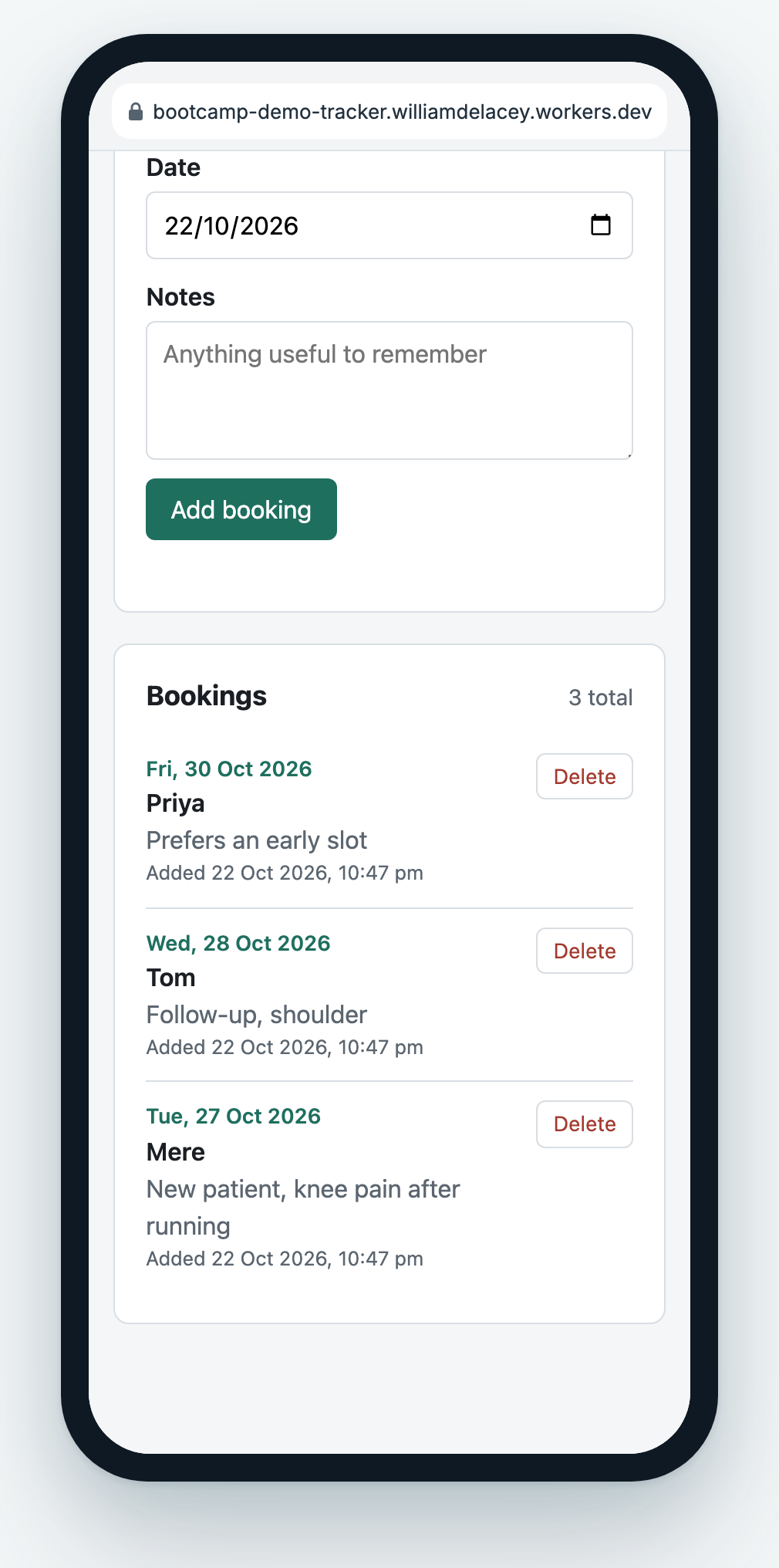
One small tool for a job you named in week one: a form, a list, and a safe place to keep the entries. Think of a booking tracker, a sign-up form, an intake form, a checklist or a simple register. You describe the job in plain English, Claude writes the code, and you steer. By the end of the evening it runs on your laptop and you have used it with real entries.

Your tool goes online at its own web address, in your own free Cloudflare account, behind a passcode only the people you choose will know. Then you make your first skill: pick a job you do the same way every time, show Claude your last example, and it writes the instructions so the job becomes one short request from then on. Last, how to ask for a change, check it, and put it online without breaking what already works.
Setting these up takes about an hour, and the pre-work email walks you through each one.
The pre-work email arrives on Wednesday 11 Nov, a week before the first session. It walks you through the Claude app, the two free accounts and the starter kit, one step at a time. You never type technical commands: Claude does the one-time setup for you, and you click through one Apple prompt on a Mac and type a short code into a GitHub page. If setup will not finish, there is an optional 15-minute tech check on Monday 16 or Tuesday 17 Nov. Anything still stuck on the night gets sorted in the break.
Set up your brain together, do the interview, make your first private backup.
Build your tool with Claude and use it with real entries.
Put your tool online, make your first skill, and learn how to change it safely.
Live on Google Meet, New Zealand time. The teaching parts of every session are recorded (we pause while people share their own screens), the recording reaches your group the next working day, and you can watch it for 12 months.
You also need Claude Pro (from US$20 a month, paid to Anthropic, cancel any time). GitHub and Cloudflare are free at the level the bootcamp uses.
Book my spot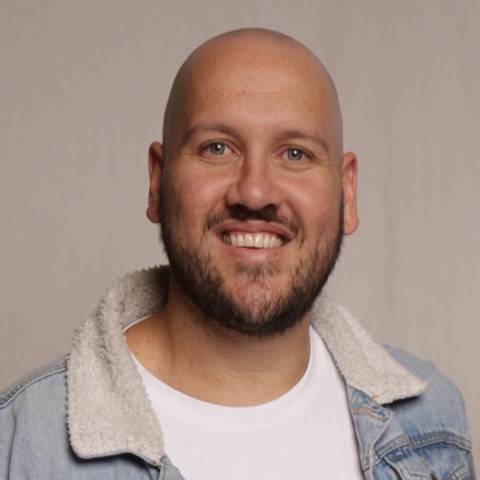
William de Lacey runs the sessions. He founded and leads System Advance, an Auckland AI, automation and systems company. We build AI and automation inside the tools businesses already run on, and we build and run our own products, including PopStudio, an event photo platform. The starter kit you set up before week one is a tidied-up copy of the setup William runs his own work on every day. William on LinkedIn.
No. You say what you want in plain English and Claude writes, runs and fixes the code. Getting set up needs no technical commands either: Claude does that part for you.
For the bootcamp, yes: the setup runs in the Claude desktop app, and that needs Claude Pro or higher (from US$20 a month). If you only want to try it, take Pro for one month and cancel after week three.
The Claude app can work inside a folder on your own computer: it reads your files, writes new ones and runs them. A chat in a browser cannot, which is why it forgets you. The kit and the sessions are built on Claude.
The recording reaches you the next working day. Week two is the build, so if you miss it you build along with the recording and bring your questions to week three.
A form, a list and a safe place for the entries: a booking tracker, a sign-up form, an intake form, a checklist, a simple register. One job, one screen, online at its own web address. Not an app store app, and not a link into your accounting software.
Yes, as long as Cloudflare's free plan and your accounts stay as they are. It runs in your own Cloudflare account, and the code sits in your own GitHub account. Nothing depends on System Advance. Week three covers how to change it and put the change online.
Your files live on your own computer, with a private backup in your own GitHub account. What Claude reads goes to Anthropic under your own plan's terms, as with any Claude chat. The kit's rules keep passwords and other people's personal details out of your brain. If you will use it for an employer's work, check their policy on AI tools first.
Email us within 48 hours after session 1 ends and we will refund you in full. The bootcamp terms set out the rest.
It runs once at least three spots are booked by Friday 13 Nov. If fewer are, we cancel it and refund everyone in full.
Not sure your laptop will cope, or whether your idea counts as a small tool? Send the question and we will reply by email.
$99 for the three sessions, the starter kit and the recordings. Six spots in the first group, starting Wednesday 18 Nov.
Book my spotFull refund if you ask within 48 hours of the first session. You pay by card through Stripe and get a receipt straight away. The welcome email with your calendar invites follows within a few minutes. Booking means you accept the bootcamp terms.
All six spots in the first group are taken. Leave your name and email and we will tell you when the next one opens.
After week three you can keep going on your own: a new skill when a job repeats, a change to the tool when the job changes. If you would rather have something built for you, or a bigger project has stalled, System Advance's services are on the main site: First Fix, Systems Roadmap and The Custom Build.